If you wish to move all your call recording transcriptions to a third party platform, Uboss can be configured to periodically upload recorded calls to an external server.
First we need to assign the service. At business level, go to Services and then click on the New tab
.png)
Click on the Call Transcription Copy option in the main window
.png)
Click on Add on the right hand side of the window
.png)
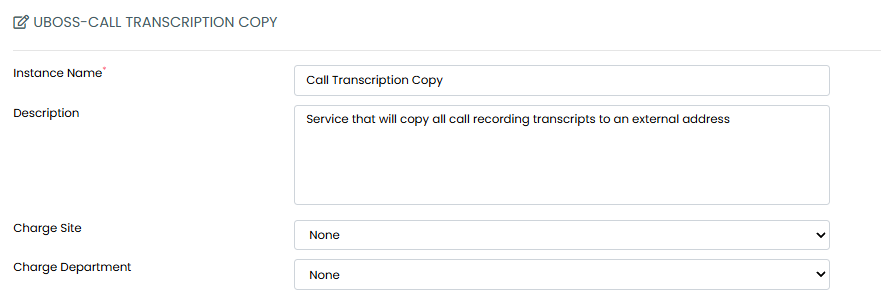
In the Wizard, enter an Instance Name, a Description(not mandatory) and optionally assign to a Charge Site and/or Charge Department(if Required)
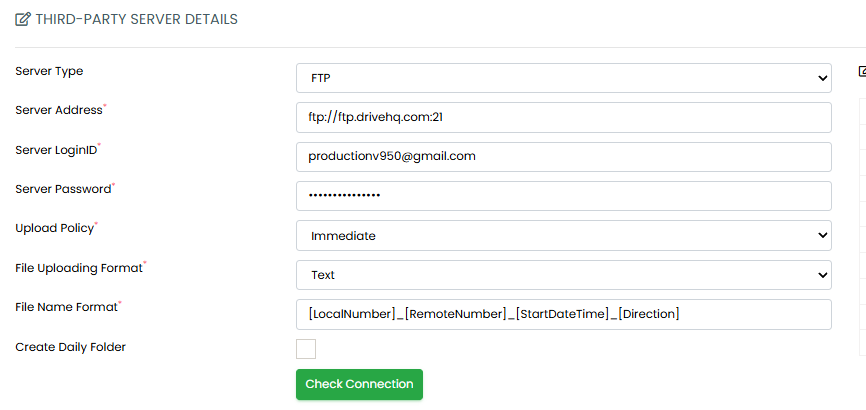
Next, enter the details of the remote server that will be sent the call recording transcripts, you must click on Check Connection after you have entered the information:
- Server Type - select from FTP, FTPS, FTPES, SFTP, HTTP or HTTPS
- Server Address - IP Address or Hostname of the remote server
- Server LoginID - The remote server username
- Server Password - The password for the user above
- Upload Frequency - The time interval that Uboss will send the call recordings over to the remote server. Minimum is 30 minutes, maximum is 24 hours.
- File Name Format - Use our custom tags to define the filename. Options are:
* [LocalNumber] - The number of the user in E164 format. E.g. +44-1234567890
* [RemoteNumber] - The number of the remote party in E164 format. E.g. +44-1234567890
* [RemoteName] - The name of the remote party(if available)
* [Extension] - The extension number of the call recording user
* [UserID] - The userid of the call recording user including the domain. E.g. callrecordinguser@company.com
* [SiteName] - The name of the site that the call recording user belongs to
* [BusinessName] - The name of the business that the call recording user belongs to
* [StartDateTime] - The start date and time of the call recording in format dd-MMM-yyyy HH:mm:ss
* [EndDateTime] - The end date and time of the call recording in format dd-MMM-yyyy HH:mm:ss
* [Direction] - The direction of the call(Inbound/Outbound)
* [GlobalCallID] - the unique identifier of the call recording taken from the phone systems CDR - Create Daily Folder - this option will create a daily folder for the recordings on the remote server
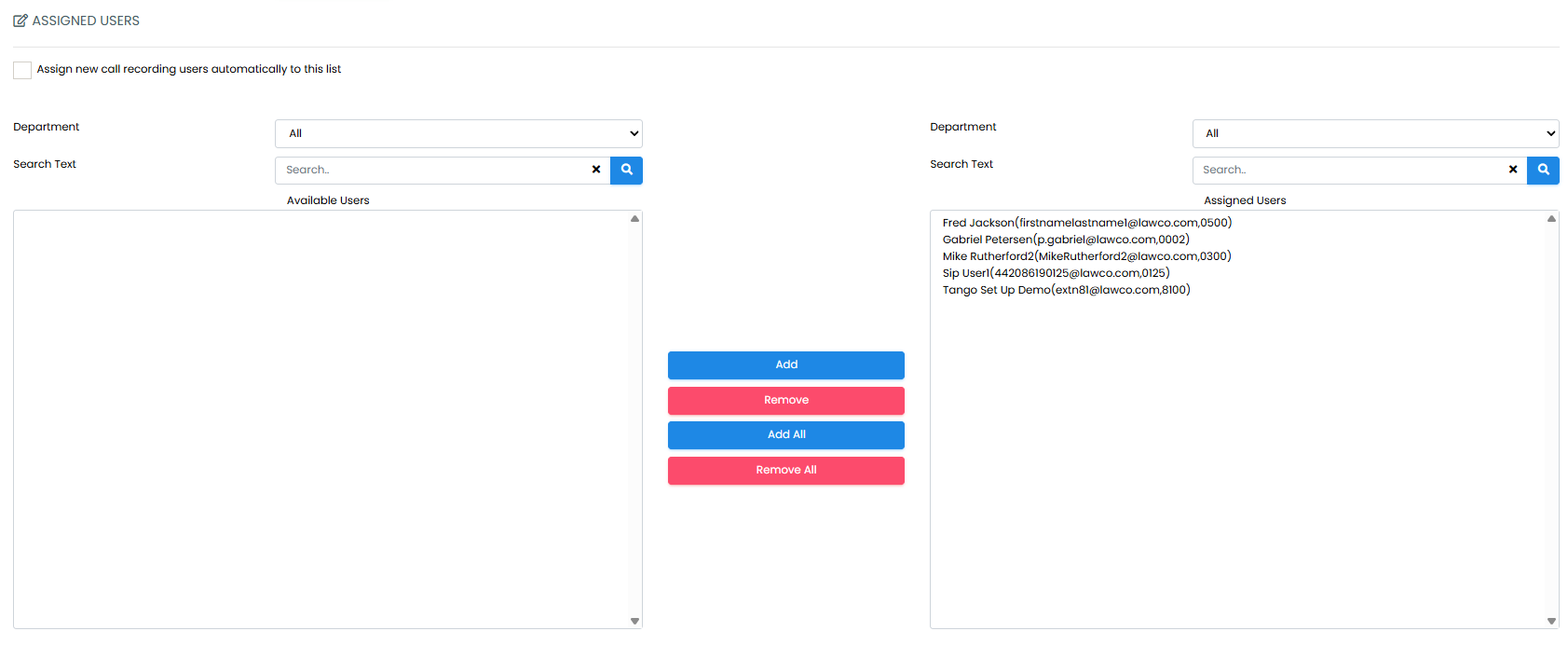
Finally you can select which users you want to include in the copy service. You can select all or individuals. There is also an option to include any new users added to the business automatically after they are created.
Save the service and then the recordings will copy over at the times you have selected. Please note that this will only copy new transcriptions made after the copy service was added.
If you need to edit any of the settings, this can be done at any time.